Designing an employee-first equity experience.
A mobile-first interface for reviewing equity offers, tracking vesting, and accessing ownership information.
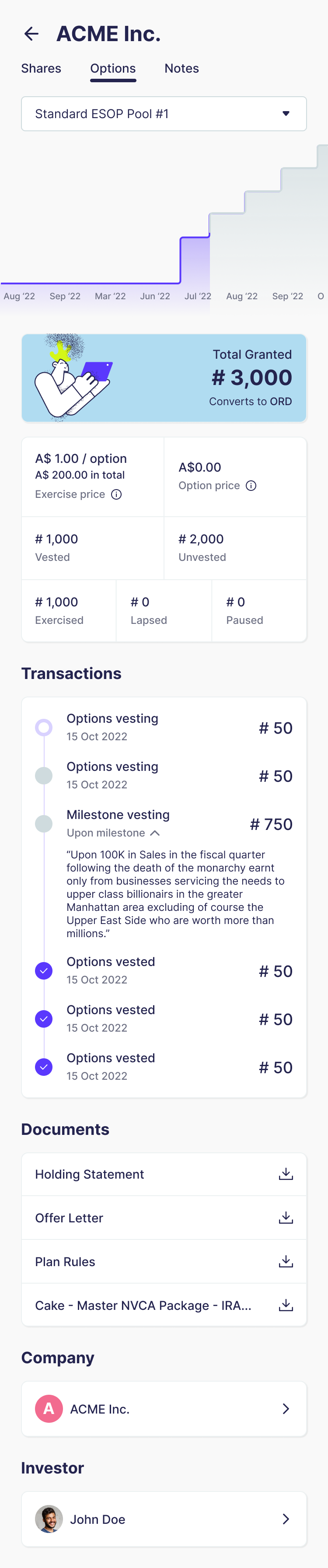
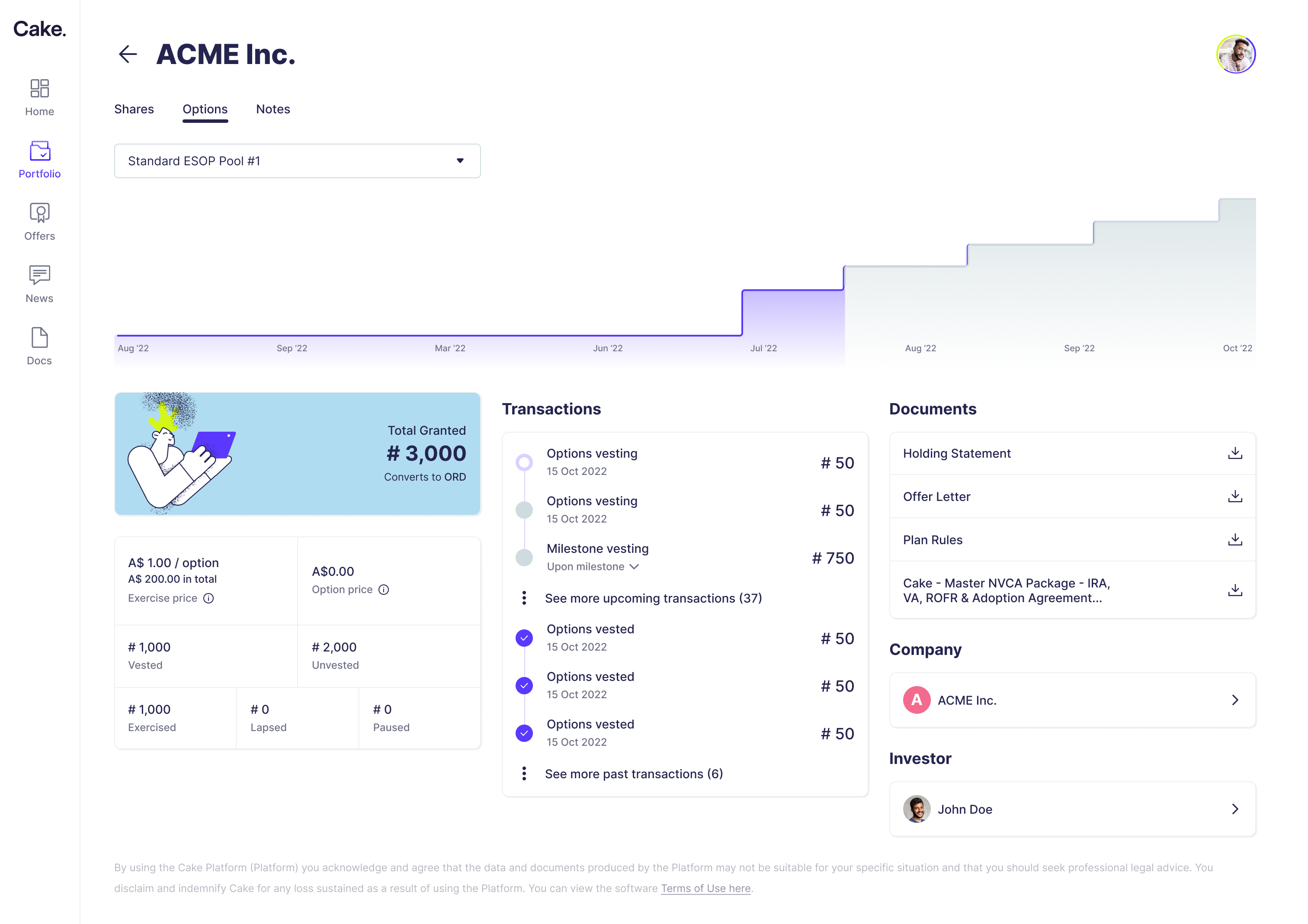
An employee-first view of ownership.
Cake Equity is an equity management platform serving startup founders, investors, and employees. While founders and investors had tools to manage and analyse ownership, the employee experience needed more attention.
Over three months, I designed a responsive employee app that brought equity holdings, vesting schedules, offers, and documents into one interface.
This was primarily a UI design project, supported by limited exploratory research.
Present complex equity information without overwhelming employees.
Employee equity involves unfamiliar terminology, milestones, and financial figures that can be difficult to interpret.
The product ambition was to create a consumer-grade experience that employees could check as naturally as their bank balance or investments. However, equity is not cash: vested options, estimated value, and money available to withdraw are different things.
The design challenge was to make important information approachable without obscuring those distinctions.
How might we help employees see what equity they hold, understand their vesting progress, and review offers through a clear, accessible interface?
03 / EARLY RESEARCH
Gathering direction within a short timeframe.
To gain an initial understanding of the employee perspective, I interviewed a small sample of family and friends who received equity through work. I also asked them to walk me through the financial software they used.
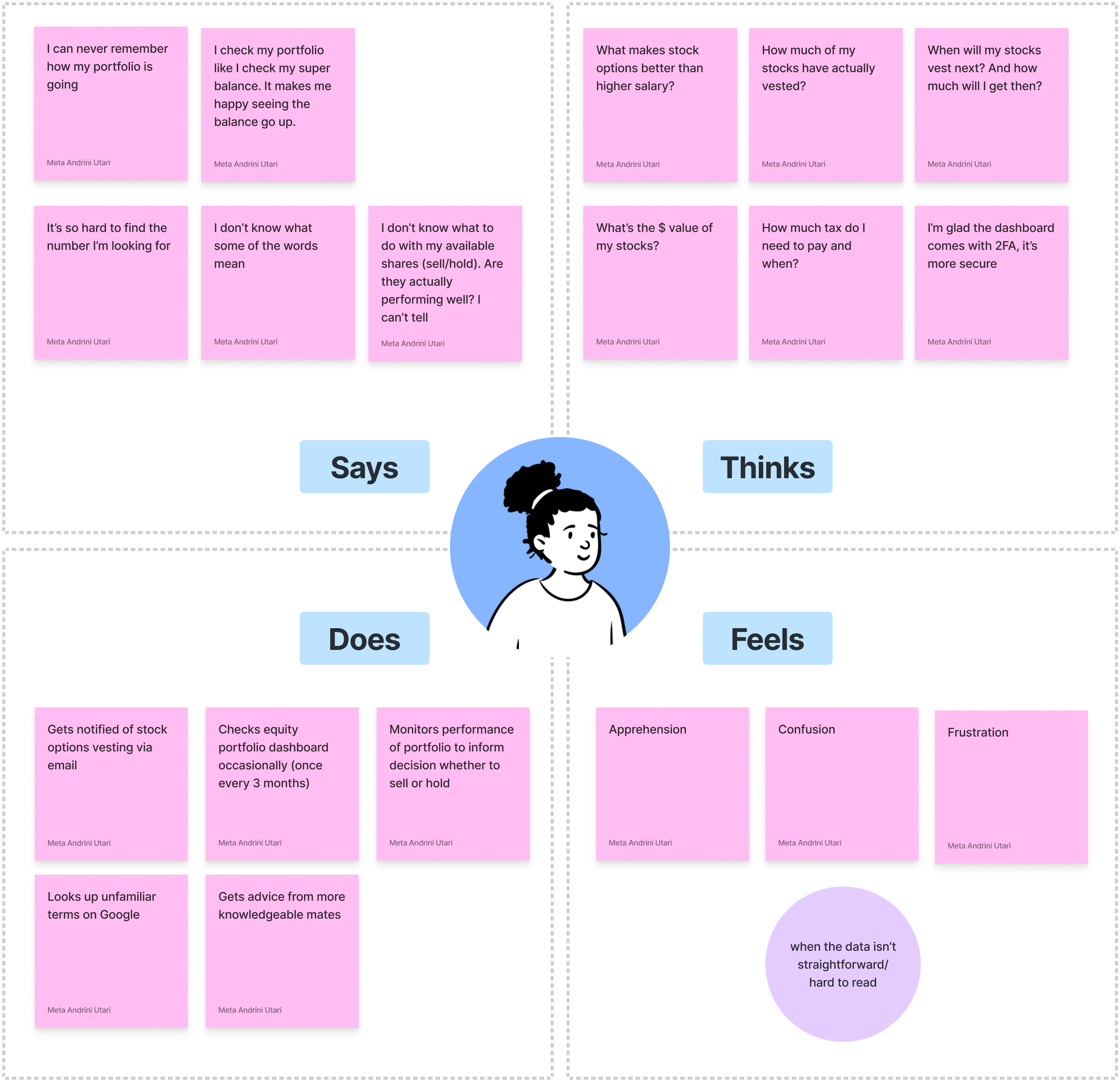
What the conversations suggested:
- Important numbers were difficult to find. Participants wanted a quick overview of their holdings.
- Terminology created uncertainty. Unfamiliar words made financial information harder to interpret.
- Vesting prompted practical questions. Participants wanted to know how much had vested and when the next allocation would vest.
- Employees sought explanations elsewhere. Some relied on online searches or more knowledgeable friends.
- Checking was occasional. The interface needed to help returning users reorient themselves quickly.
I synthesised these observations into an empathy map to guide the initial design direction.
A cohesive interface for holdings, progress, and offers.
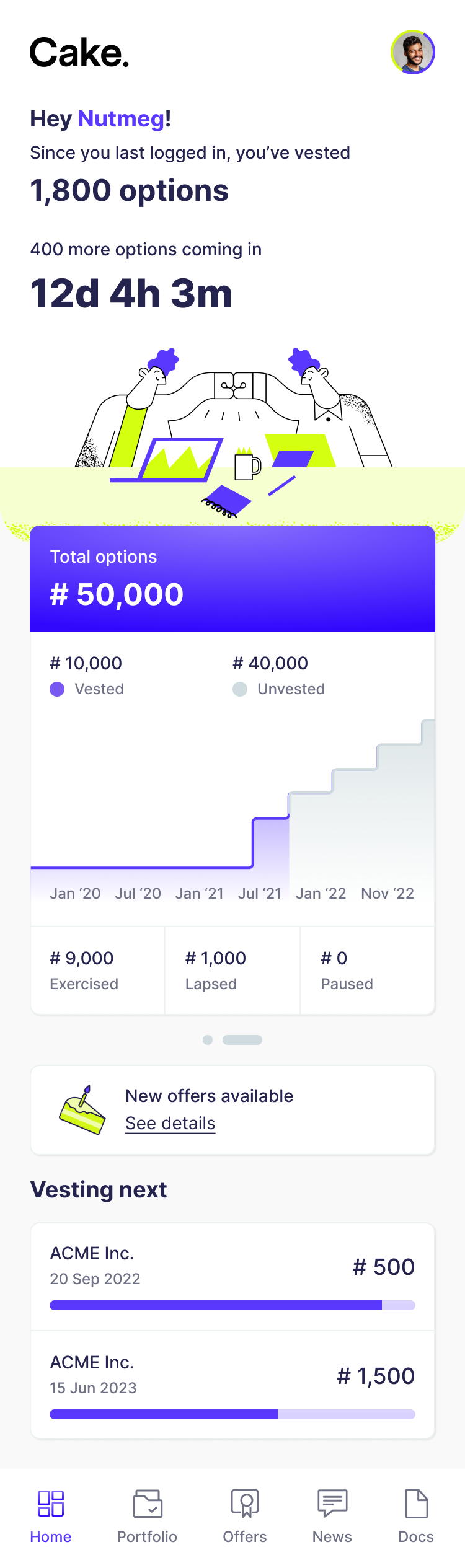
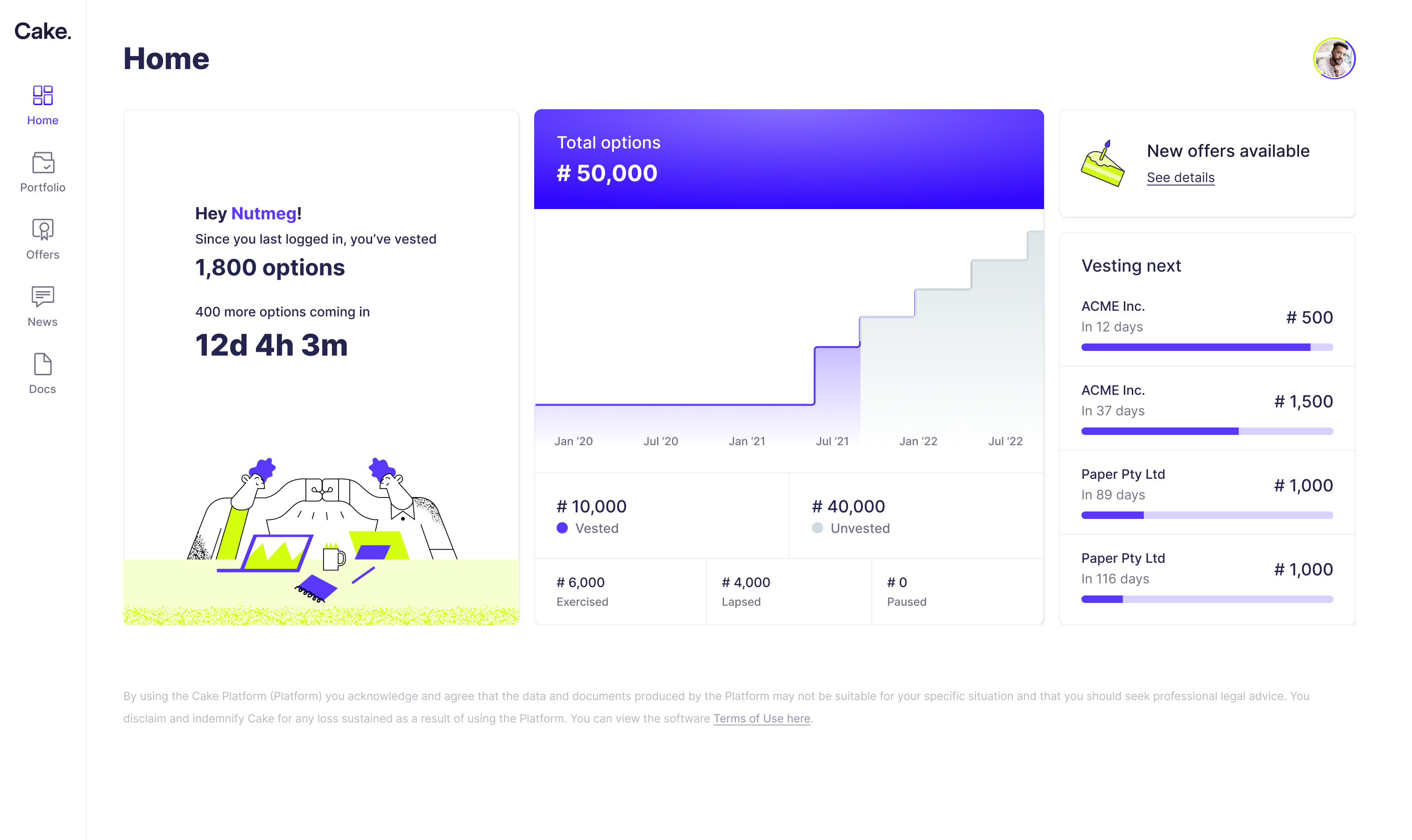
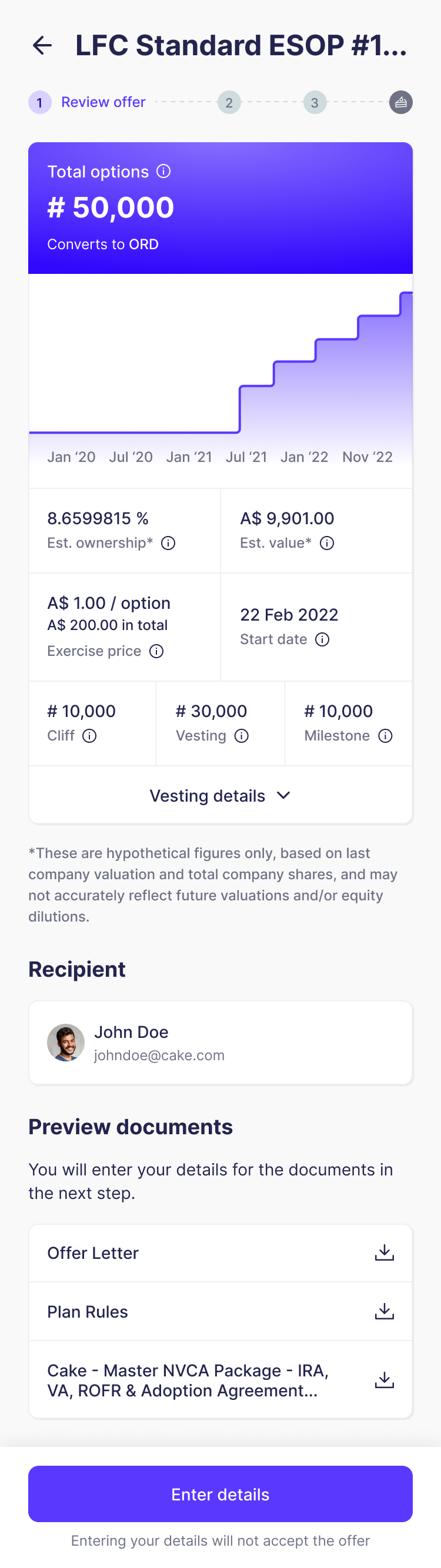
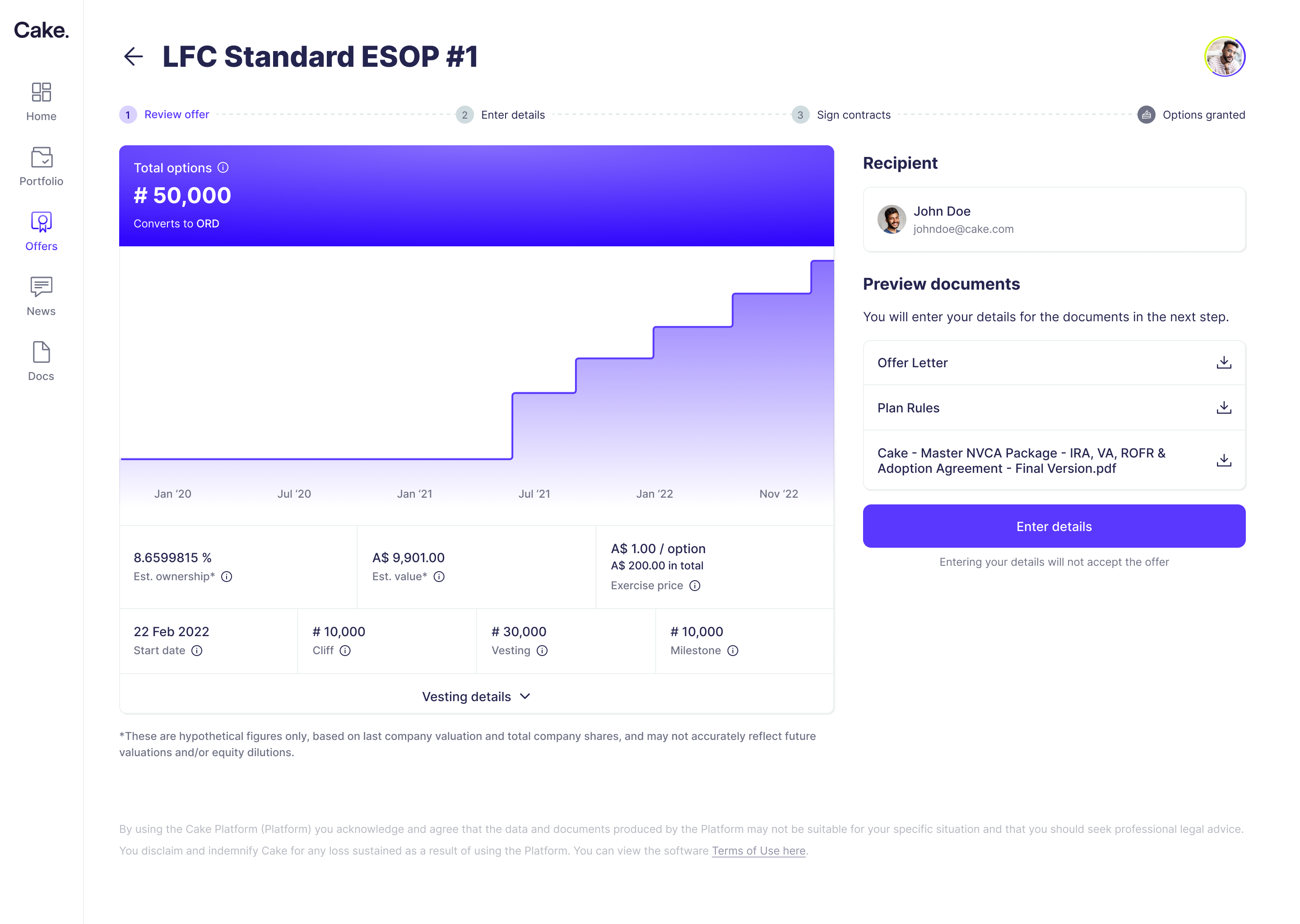
I focused the interface around three questions:
What do I hold?
What has vested, and what is coming next?
Where can I review my offers and supporting documents?
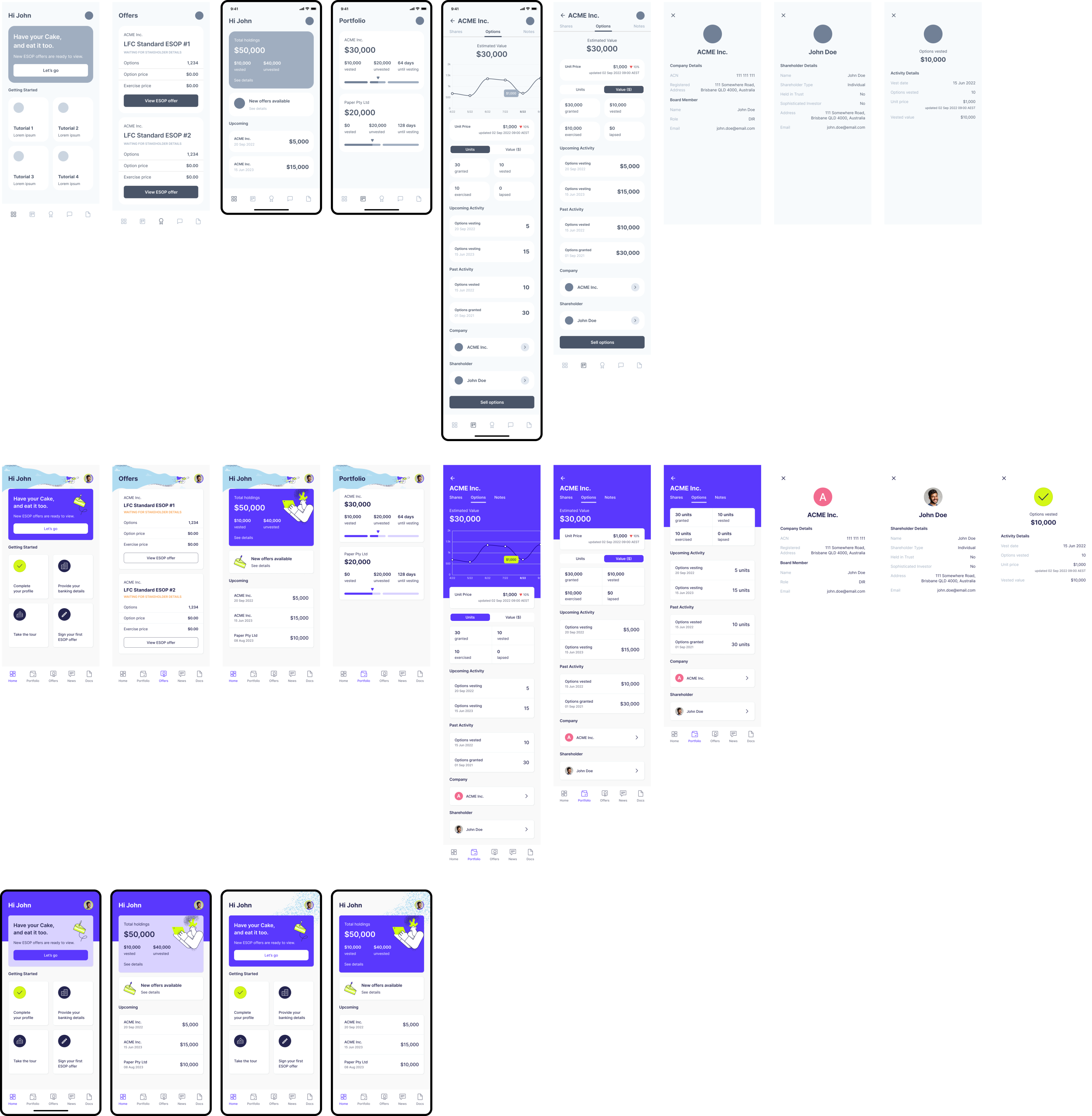
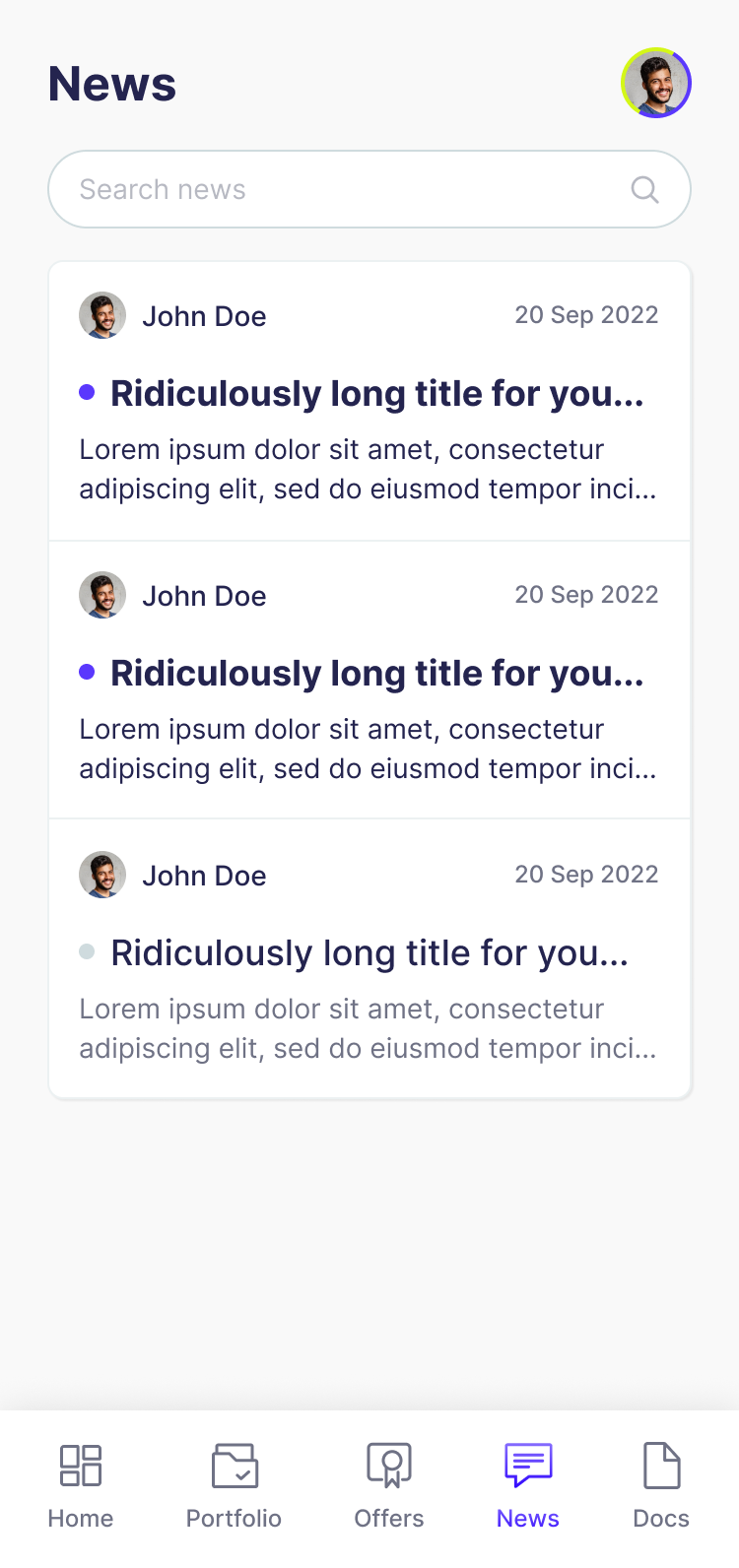
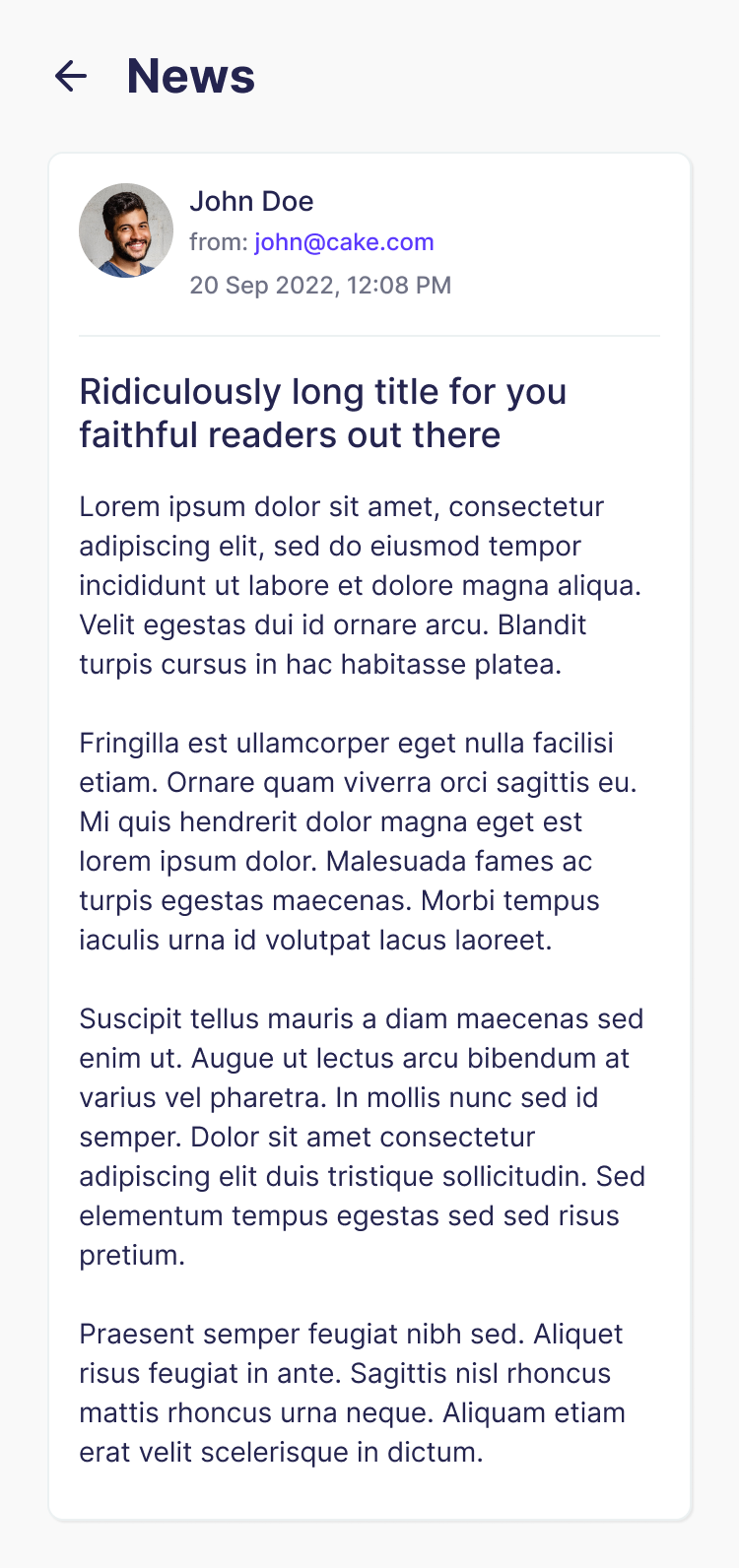
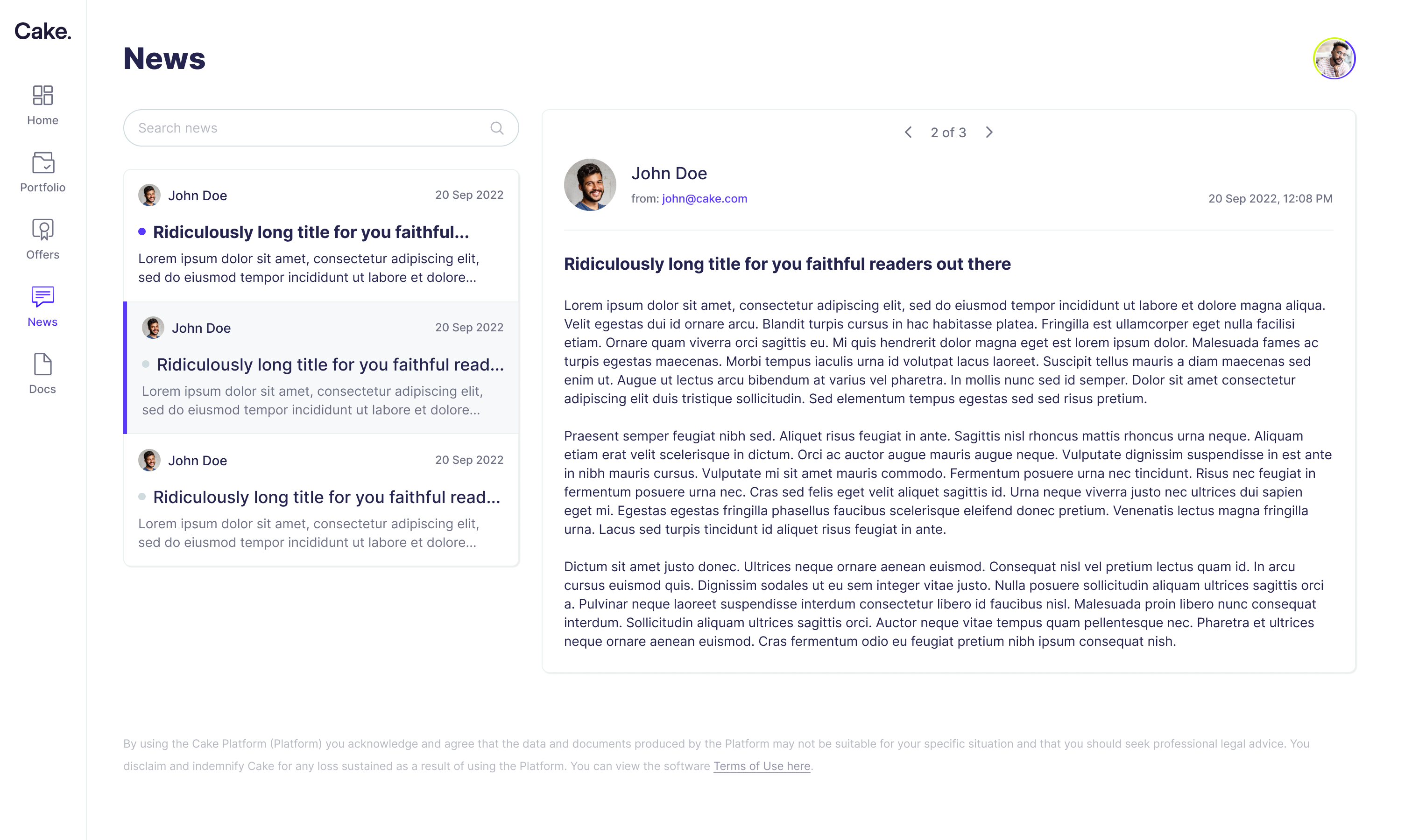
Unlike the founder dashboard, the employee experience was designed mobile-first, with responsive desktop layouts.
I progressed from paper sketches to wireframes and high-fidelity prototypes, exploring different ways to present balances, vesting progress, and transaction history.
A clearer interface does not necessarily mean clearer understanding.
This project challenged me to learn an unfamiliar financial domain while making its information more approachable. It also highlighted the limits of relying on visual clarity alone.
A well-organised dashboard can make figures easier to find, but it does not establish whether employees understand what those figures mean.
What I would do differently:
Interview more employees.
I would recruit a broader range of employees with different levels of ESOP experience to understand their knowledge of equity, common misconceptions, and opportunities for better explanations.
Test comprehension as well as navigation.
I would ask employees to explain what they believe they own, what has vested, and what actions are available to them. This would help identify where the interface looks clear but remains conceptually confusing.
Run usability tests on key tasks.
I would test finding the next vesting event, reviewing an offer, interpreting estimated value, and locating documents to identify pain points before refining the design.